AI Sankey Diagram Generator
Create Sankey diagrams from plain English with a free AI Sankey generator. Visualize flows, budgets, and energy data and export as SVG or PNG.
Sign up free — get 3 AI generations on the house.
Generate with AI — FreeExample outputs
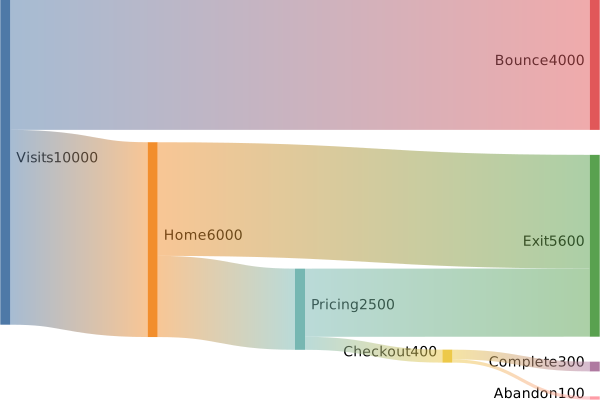
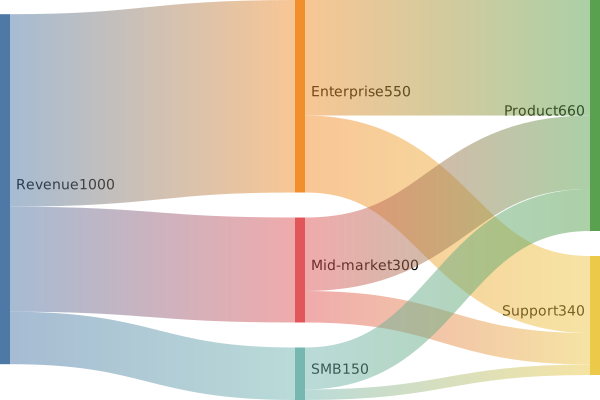
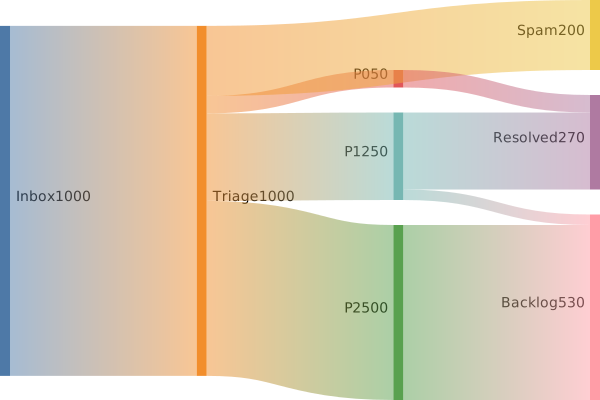
Real diagrams our AI has produced from prompts like this one.
What is a Sankey diagram?
A Sankey diagram is a flow visualization where the width of each arrow is proportional to the quantity it represents. Flows move from sources on one side to destinations on the other, so you can see at a glance how a total is split, combined, or redistributed.
Sankey diagrams are strongest when the story is about proportions. Energy use, budget allocation, user acquisition funnels, material flows, and supply chains are all easier to understand as weighted flows than as tables of numbers, because a Sankey puts magnitude and direction in the same picture.
Who uses Sankey diagrams?
- Energy analysts and sustainability researchers visualizing consumption and loss
- Finance and operations teams showing how revenue splits into cost categories
- Product analysts mapping user acquisition, activation, and churn volumes
- Data scientists explaining multi-stage funnels and conversion rates
- Supply chain and logistics planners tracking material or shipment flows
- Policy researchers presenting public spending, tax, or resource allocation
- Educators teaching conservation of mass, energy, or other flow-based concepts
Why generate Sankey diagrams with AI?
Sankey diagrams are notoriously fiddly to build by hand. You have to define every node, specify each flow, and make sure the totals balance. Traditional tools often require CSVs or custom syntax before you see anything on screen. An AI Sankey diagram generator collapses that overhead into a single prompt.
You describe the system and its quantities in plain English, and the AI produces a weighted flow diagram you can refine. If a flow is missing, add it to the description and regenerate. If the proportions are off, adjust the numbers in your prompt and the diagram updates accordingly.
FlowCraft produces Mermaid-compatible Sankey diagrams, so the definition is text you can copy, version, and embed in documentation. Free users can generate up to three diagrams, export them as SVG or PNG, and create public share links to send results without requiring viewers to sign in.
How to use the AI Sankey diagram generator tool
- Describe the system you want to visualize. Name the source or sources, the destinations, and the quantities or percentages involved.
- Click generate. The tool returns a weighted flow diagram with arrow widths scaled to the values you provided.
- Check that the totals and splits match your intent. Adjust your prompt if a destination is missing, if you want to combine categories, or if the proportions need refining.
- Export the diagram as SVG for print-ready quality or PNG for quick sharing in chat and documents.
- Share a public link with colleagues, readers, or stakeholders so they can view the diagram in the browser.
FAQ
What kinds of data work best in a Sankey diagram?
Sankey diagrams shine when you have a single quantity that splits, merges, or transforms across stages. Energy flow, budget allocation, user funnels, time spent by activity, and supply chain throughput are all strong fits. If your data is purely categorical with no magnitudes, a different diagram type may be clearer.
Do I need to provide exact numbers?
No. You can describe the flows qualitatively, such as "most traffic goes to search, a smaller share to social," and the AI will pick reasonable weights. For precise diagrams, include the percentages or raw values in your prompt so the widths reflect real data.
Is the Sankey generator free to use?
Yes. FlowCraft includes a free tier with three AI diagram generations and no credit card required. You can export Sankey diagrams as SVG or PNG and share them via public links on the free plan.
Create your own with AI Sankey Diagram Generator — free
Sign up and get 3 AI generations on the house. Export to SVG, PNG, or share a public link.
Related AI diagram tools
Try another free generator from FlowCraft.
- Open tool
Free AI Flowchart Maker
Create flowcharts from plain English with a free AI flowchart maker. Generate, edit, and export diagrams as SVG or PNG in seconds.
- Open tool
AI Timeline Maker
Build timeline diagrams from plain English with a free AI timeline maker. Generate historical, project, or product timelines and export as SVG.
- Open tool
AI User Journey Map Creator
Create user journey maps from plain English with AI. Free online journey map tool with Mermaid export, SVG/PNG download, and public share links.
- Open tool
AI Mind Map Generator
Generate mind maps from plain English with AI. Free online mind map maker with Mermaid export, SVG/PNG download, and public share links.