AI Gantt Chart Maker
Build Gantt charts from plain English with AI. Free online Gantt chart maker with Mermaid export, SVG/PNG download, and public share links.
Sign up free — get 3 AI generations on the house.
Generate with AI — FreeExample outputs
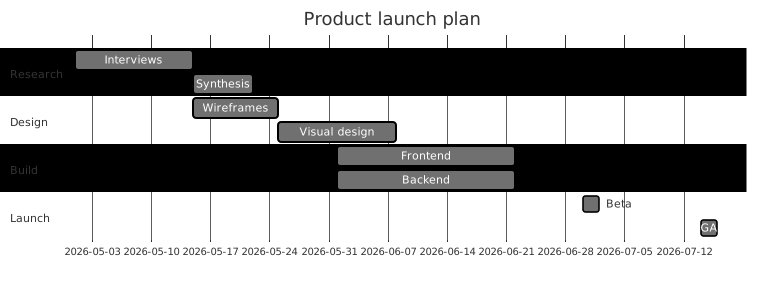
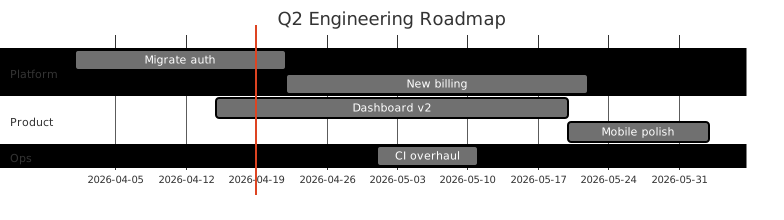
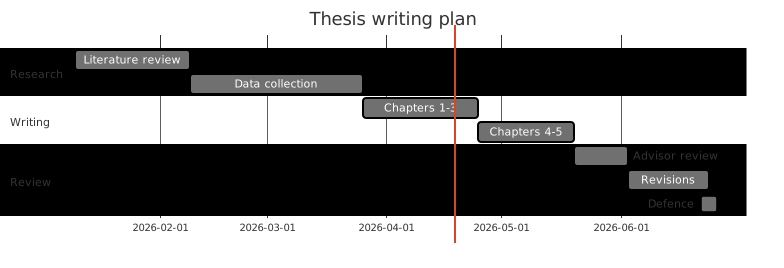
Real diagrams our AI has produced from prompts like this one.
What is a Gantt chart?
A Gantt chart is a horizontal bar chart that shows project tasks on the vertical axis and time on the horizontal axis. Each bar represents a task, and the length and position of the bar shows when the task starts, how long it runs, and how it overlaps with other work. Milestones are typically shown as single dates rather than bars.
Gantt charts are one of the most widely used planning tools because they answer three questions in a single view: what has to happen, when it happens, and what has to wait for something else. That makes them useful from first-pass planning all the way through execution tracking.
Who uses Gantt charts?
- Project managers coordinating cross-functional teams across a fixed deadline
- Engineering leads planning sprint sequences and dependency-heavy integration work
- Founders mapping out an MVP build, fundraise, or go-to-market schedule
- Program managers rolling up multiple workstreams into a single executive view
- Product managers aligning design, engineering, and marketing around a launch date
- Agency and consulting teams sharing timelines with clients and stakeholders
- Operations leads scheduling migrations, rollouts, and seasonal campaigns
Why generate Gantt charts with AI?
Traditional Gantt chart tools are powerful but heavy. Setting up tasks, dependencies, durations, and milestones in a full project management app is reasonable for a live project, but it is overkill for the early planning stage where you are still sketching options. On the other hand, Mermaid's Gantt syntax is lightweight but requires you to get dates, durations, and sections exactly right.
Generating a Gantt chart with AI splits the difference. You describe the project, the rough duration, the phases, and any overlaps in plain English, and the tool returns a clean Gantt chart in Mermaid-compatible syntax. You get the structure and visual payoff of a real chart without filling out a form for every task.
This makes Gantt charts usable for the work where they are most valuable but often skipped: pitching a plan, scoping a proposal, or testing whether a deadline is realistic before you commit to it.
How to use the AI Gantt chart maker tool
- Open the FlowCraft AI Gantt chart maker and sign in for the free tier, which includes three generations.
- Describe the project in plain English. Include the total duration, the phases or workstreams, and any overlaps or milestones you care about.
- Generate the chart and review the output. Check that the durations look right and that phases line up the way you expected.
- Edit the underlying Mermaid text to adjust task names, dates, or dependencies, or tweak the prompt and regenerate if the shape is off.
- Export the chart as SVG or PNG, or send a public share link to stakeholders who only need to view it.
FAQ
Can the AI schedule real dates, not just durations?
Yes. If your prompt names a start date or a deadline, the AI will anchor the chart to real dates. If you only give a duration, it will use a generic timeline you can shift by editing the start date in the Mermaid source.
How do I show dependencies and overlaps?
Mention them in the prompt. Phrases like "QA starts halfway through frontend" or "integration depends on backend setup" give the AI enough signal to order tasks correctly. You can also adjust the Mermaid source directly to fine-tune start dates and dependencies after generation.
Is this a replacement for a full project management tool?
No, and it is not trying to be. The AI Gantt chart maker is for quickly producing a shareable timeline during planning, proposals, or status updates. For live project tracking with assignees, comments, and task status, you will still want a dedicated project management tool, but you can use FlowCraft to sketch the plan before it gets there.
Create your own with AI Gantt Chart Maker — free
Sign up and get 3 AI generations on the house. Export to SVG, PNG, or share a public link.
Related AI diagram tools
Try another free generator from FlowCraft.
- Open tool
AI Mind Map Generator
Generate mind maps from plain English with AI. Free online mind map maker with Mermaid export, SVG/PNG download, and public share links.
- Open tool
AI User Journey Map Creator
Create user journey maps from plain English with AI. Free online journey map tool with Mermaid export, SVG/PNG download, and public share links.
- Open tool
AI Timeline Maker
Build timeline diagrams from plain English with a free AI timeline maker. Generate historical, project, or product timelines and export as SVG.
- Open tool
Free AI Flowchart Maker
Create flowcharts from plain English with a free AI flowchart maker. Generate, edit, and export diagrams as SVG or PNG in seconds.