AI Gantt Chart Generator
AI gantt chart generator. A Gantt chart shows a project timeline as horizontal bars across a calendar. Export as SVG, PNG, or Mermaid source.
Sign up free — get 3 AI generations on the house.
Generate with AI — FreeExample outputs
Real diagrams our AI has produced from prompts like this one.
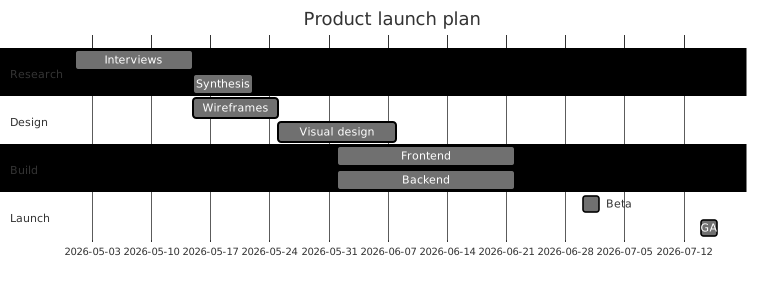
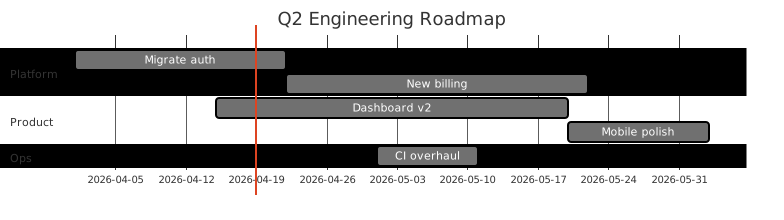
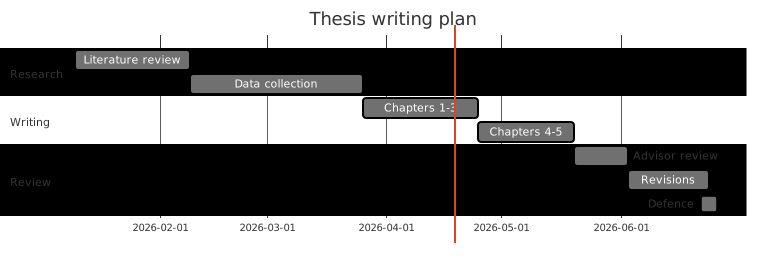
AI Gantt Chart Generator turns a plain-English description into a Gantt chart you can export, share, or drop straight into your docs. No drawing tools, no syntax cheat-sheets — just describe what you need and get a clean Mermaid-compatible diagram back.
What is a Gantt chart?
A Gantt chart shows a project timeline as horizontal bars across a calendar. Each bar is a task positioned at its start date and stretched to its end date; dependencies connect predecessors to successors, and milestones mark fixed dates.
Gantt charts are the workhorse of project planning because they answer the three questions that come up in every status meeting: what are we working on, when does it finish, and what blocks what. They work equally well for a two-week sprint and a twelve-month program.
Who uses Gantt charts?
- Project managers running software delivery timelines
- Engineering managers scheduling feature rollouts and launches
- Founders planning fundraising, hiring, and product milestones
- Consultants presenting engagement timelines to clients
- Construction and operations teams tracking phased work
- Marketing leads scheduling campaigns around product launches
- Research leads planning experiments and write-up windows
- Students and educators planning coursework and thesis timelines
Why generate Gantt charts with AI?
Project planning tools are either too heavy (Jira, MS Project) or too fiddly (hand-edited spreadsheets) when all you need is a communicable view of the plan. Generating a Mermaid Gantt chart from a bullet list of tasks and durations lands on the right fidelity for status updates, board decks, and README roadmaps.
Describe the tasks, when they start, how long they take, and what depends on what. The generator handles the date math, bar positioning, and dependency arrows. Replan by re-describing — no drag-and-drop required.
How to use the AI Gantt Chart Generator
- List your tasks with start dates (or relative offsets), durations, and any dependencies.
- Paste the description into the AI Gantt Chart Generator prompt box and click Generate.
- Review the rendered Gantt chart; request tweaks like "push launch back two weeks" or "mark beta as a milestone".
- Export as SVG, PNG, or Mermaid source for your status doc, board deck, or project README.
- Save the chart to your workspace so replanning is a five-second regeneration instead of an afternoon in spreadsheet purgatory.
FAQ
Can it handle dependencies?
Yes — Mermaid Gantt supports "after task1" dependency syntax. Mention dependencies in plain English and the generator emits the right references.
Does it support milestones?
Yes. Mark a task as a milestone in the prompt (e.g. 'Beta launch — milestone, 2026-05-01') and it renders as a diamond.
Can I use relative dates?
Yes. Mermaid supports 'after X, duration Yd' style, so you can plan without fixing absolute dates up front. Regenerate once real dates land.
Create your own with AI Gantt Chart Generator — free
Sign up and get 3 AI generations on the house. Export to SVG, PNG, or share a public link.
Related AI diagram tools
Try another free generator from FlowCraft.
- Open tool
AI Gantt Chart Maker
Build Gantt charts from plain English with AI. Free online Gantt chart maker with Mermaid export, SVG/PNG download, and public share links.
- Open tool
Free Gantt Chart Maker
Free gantt chart maker. A Gantt chart shows a project timeline as horizontal bars across a calendar. Export as SVG, PNG, or Mermaid source.
- Open tool
Online Gantt Chart Tool
Online gantt chart tool. A Gantt chart shows a project timeline as horizontal bars across a calendar. Export as SVG, PNG, or Mermaid source.
- Open tool
AI Class Diagram Generator
Create UML class diagrams from plain English with AI. Free online class diagram generator with Mermaid-compatible output and SVG or PNG export.