Free Quadrant Chart Maker
Free quadrant chart maker. A quadrant chart (2x2 matrix) plots items across two axes — typically impact vs effort, value vs cost, reach vs frequency — so that…
Sign up free — get 3 AI generations on the house.
Generate with AI — FreeExample outputs
Real diagrams our AI has produced from prompts like this one.
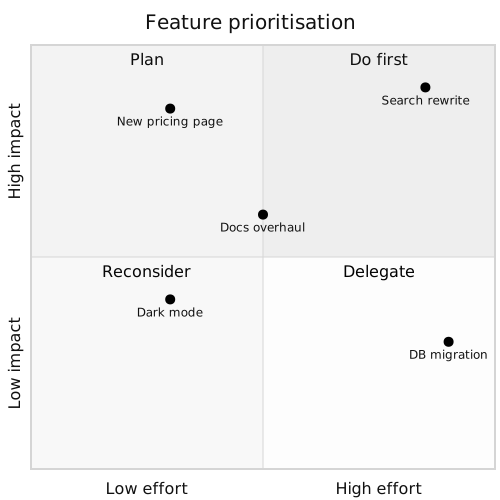
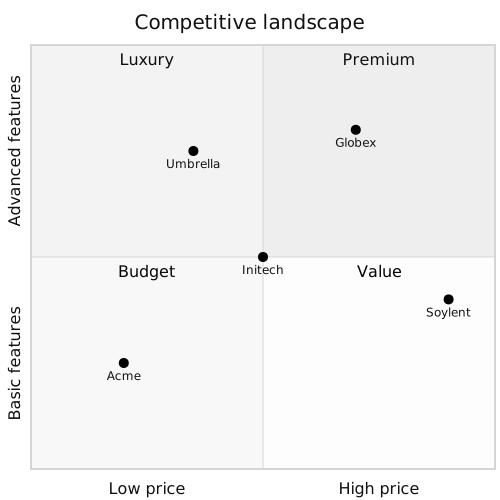
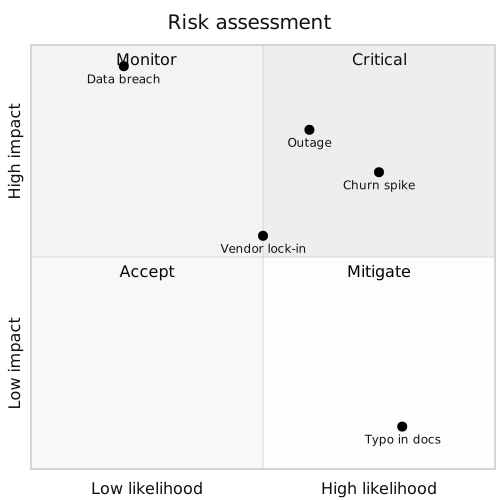
Free Quadrant Chart Maker turns a plain-English description into a quadrant chart you can export, share, or drop straight into your docs. No drawing tools, no syntax cheat-sheets — just describe what you need and get a clean Mermaid-compatible diagram back.
What is a quadrant chart?
A quadrant chart (2x2 matrix) plots items across two axes — typically impact vs effort, value vs cost, reach vs frequency — so that a single picture tells you where to focus. The four quadrants become shorthand: do-first, schedule, delegate, drop.
Quadrant charts are the fastest way to align a team on priorities. You take twenty ideas, plot them, and the next move is obvious. They work in prioritisation, strategy, competitive analysis, and risk assessment.
Who uses quadrant charts?
- Product managers prioritising feature backlogs
- Engineering leads triaging tech-debt and bug lists
- Founders stack-ranking opportunities against constraints
- Strategy consultants presenting competitive landscapes
- Risk and compliance teams assessing likelihood vs impact
- Marketing teams mapping campaign cost vs reach
- Hiring managers evaluating candidate strengths
- Educators teaching prioritisation and decision frameworks
Why generate quadrant charts with AI?
Quadrant charts are trivial to sketch on a whiteboard and tedious to produce in tools. Drawing four axes, positioning twenty items, and labelling them in Figma takes half an hour; doing it in Mermaid with a natural-language prompt takes seconds.
Describe the axes and the items with their coordinates. Regenerate when priorities shift. The chart stays current without anyone having to become a Mermaid expert.
How to use the Free Quadrant Chart Maker
- Name the two axes (e.g. "impact" and "effort") and list the items you want to plot, with approximate positions.
- Paste the description into the Free Quadrant Chart Maker prompt box and click Generate.
- Review the chart; request tweaks like "move feature X up and to the left" or "rename the top-right quadrant".
- Export as SVG, PNG, or Mermaid source for your planning doc, all-hands, or strategy memo.
- Save it to your workspace to make regenerating after each planning cycle painless.
FAQ
Can I label the four quadrants?
Yes — Mermaid quadrantChart supports per-quadrant labels. Mention them in your prompt ("top-right is Do First, bottom-left is Drop") and they render in place.
How precise are the point positions?
Positions are on a 0-1 scale per axis. Give rough coordinates or describe items by quadrant — the generator places them accordingly. Precision beyond that rarely changes the decision the chart supports.
Can the axes be categorical?
Quadrant charts assume continuous axes. For categorical comparisons, consider a matrix or scorecard table instead.
Create your own with Free Quadrant Chart Maker — free
Sign up and get 3 AI generations on the house. Export to SVG, PNG, or share a public link.
Related AI diagram tools
Try another free generator from FlowCraft.
- Open tool
AI Quadrant Chart Generator
AI quadrant chart generator. A quadrant chart (2x2 matrix) plots items across two axes — typically impact vs effort, value vs cost, reach vs frequency — so…
- Open tool
AI Quadrant Chart Maker
AI quadrant chart maker. A quadrant chart (2x2 matrix) plots items across two axes — typically impact vs effort, value vs cost, reach vs frequency — so that a…
- Open tool
Online Quadrant Chart Tool
Online quadrant chart tool. A quadrant chart (2x2 matrix) plots items across two axes — typically impact vs effort, value vs cost, reach vs frequency — so that…
- Open tool
AI Class Diagram Generator
Create UML class diagrams from plain English with AI. Free online class diagram generator with Mermaid-compatible output and SVG or PNG export.