AI ZenUML Diagram Maker
AI zenuml diagram maker. ZenUML is a code-first sequence-diagram syntax designed to read like the code it describes. Export as SVG, PNG, or Mermaid source.
Sign up free — get 3 AI generations on the house.
Generate with AI — FreeExample outputs
Real diagrams our AI has produced from prompts like this one.
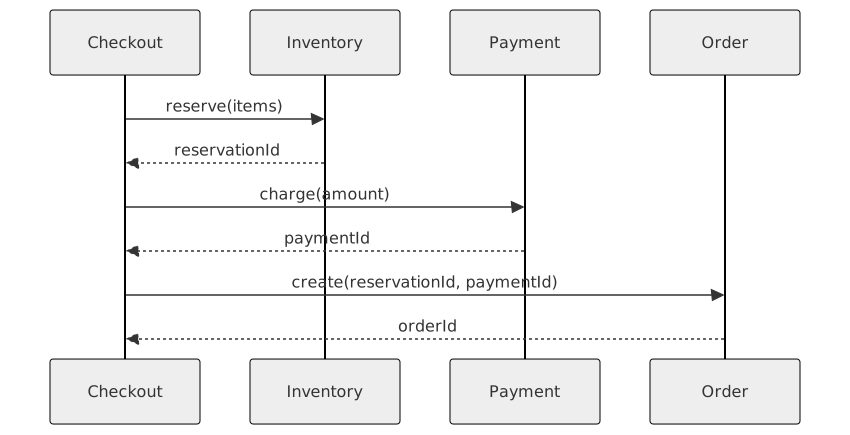
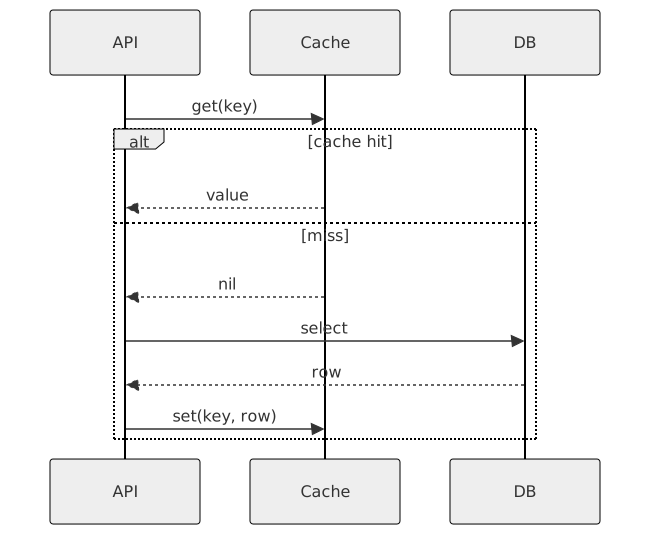
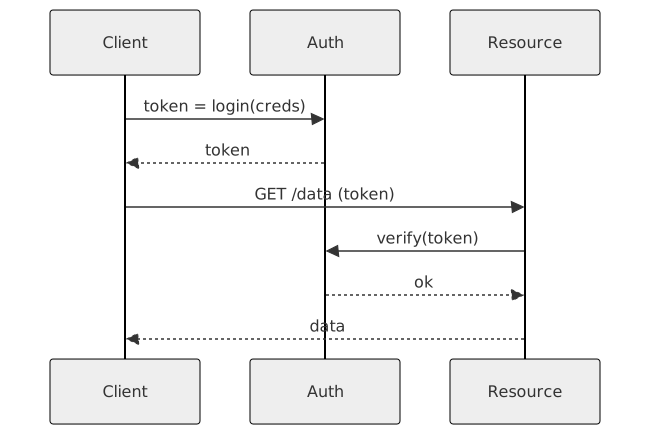
AI ZenUML Diagram Maker turns a plain-English description into a ZenUML diagram you can export, share, or drop straight into your docs. No drawing tools, no syntax cheat-sheets — just describe what you need and get a clean Mermaid-compatible diagram back.
What is a ZenUML diagram?
ZenUML is a code-first sequence-diagram syntax designed to read like the code it describes. Instead of arrows-first notation, you write method calls the way a developer would write them, and the diagram falls out.
ZenUML shines when you want a sequence diagram that mirrors real call stacks — async patterns, nested calls, returns with values. It's the notation of choice when UML-style sequence diagrams feel too disconnected from implementation.
Who uses ZenUML diagrams?
- Backend engineers documenting async and concurrent call patterns
- Architects explaining service-to-service interactions in code-like notation
- Developer advocates writing technical blog posts
- Tech leads reviewing and critiquing proposed designs
- SREs walking through incident call paths
- Open-source maintainers documenting internal APIs
- Engineering educators teaching distributed systems
- Consultants producing technical design deliverables
Why generate ZenUML diagrams with AI?
ZenUML's syntax is readable but opinionated — once you know it, writing diagrams is fast; before that, there's a learning curve. Most teams give up and fall back to prose.
Describing the call flow in plain English and generating ZenUML source lets you benefit from the notation's readability without investing time in the syntax. The output is clean code-style sequence diagrams, generated on demand.
How to use the AI ZenUML Diagram Maker
- Describe the interaction — the caller, the callees, what methods they invoke, and any return values.
- Paste the description into the AI ZenUML Diagram Maker prompt box and click Generate.
- Review the diagram; request tweaks like "make the payment call async" or "add an error return on line 3".
- Export as SVG, PNG, or ZenUML source for your design doc, PR, or internal wiki.
- Save the diagram so your system's call patterns are documented where future engineers will actually find them.
FAQ
How is ZenUML different from Mermaid sequence diagrams?
ZenUML reads like code; Mermaid sequence diagrams read like traditional UML. ZenUML is better for developer-audience docs; Mermaid is better for mixed-audience or UML-convention contexts.
Does it support async and parallel calls?
Yes — ZenUML has first-class syntax for async, parallel, and alt/opt blocks. Mention them in plain English and the generator emits the right constructs.
Can I use it inside Markdown?
Yes. Mermaid supports ZenUML-style diagrams via the zenuml code-block language; the output from this tool drops into GitHub, GitLab, and Notion Markdown without further processing.
Create your own with AI ZenUML Diagram Maker — free
Sign up and get 3 AI generations on the house. Export to SVG, PNG, or share a public link.
Related AI diagram tools
Try another free generator from FlowCraft.
- Open tool
AI ZenUML Diagram Generator
AI zenuml diagram generator. ZenUML is a code-first sequence-diagram syntax designed to read like the code it describes. Export as SVG, PNG, or Mermaid source.
- Open tool
Free ZenUML Diagram Maker
Free zenuml diagram maker. ZenUML is a code-first sequence-diagram syntax designed to read like the code it describes. Export as SVG, PNG, or Mermaid source.
- Open tool
Online ZenUML Diagram Tool
Online zenuml diagram tool. ZenUML is a code-first sequence-diagram syntax designed to read like the code it describes. Export as SVG, PNG, or Mermaid source.
- Open tool
AI Class Diagram Generator
Create UML class diagrams from plain English with AI. Free online class diagram generator with Mermaid-compatible output and SVG or PNG export.